
Introduction
Phone Performance Tips can help you keep a smartphone responsive, reliable, and comfortable to use over time. A phone may become slower because of limited storage, too many background processes, outdated software, demanding apps, overheating, or battery-related limitations.
The good news is that you can often improve everyday performance without replacing your phone. Simple maintenance habits such as keeping enough free storage, updating software, reviewing installed apps, managing background activity, and avoiding excessive heat can make a noticeable difference.
This guide explains practical ways to improve phone performance, what causes smartphones to slow down, which settings are worth checking, and which common mistakes can actually make performance worse.
What Does Phone Performance Mean?
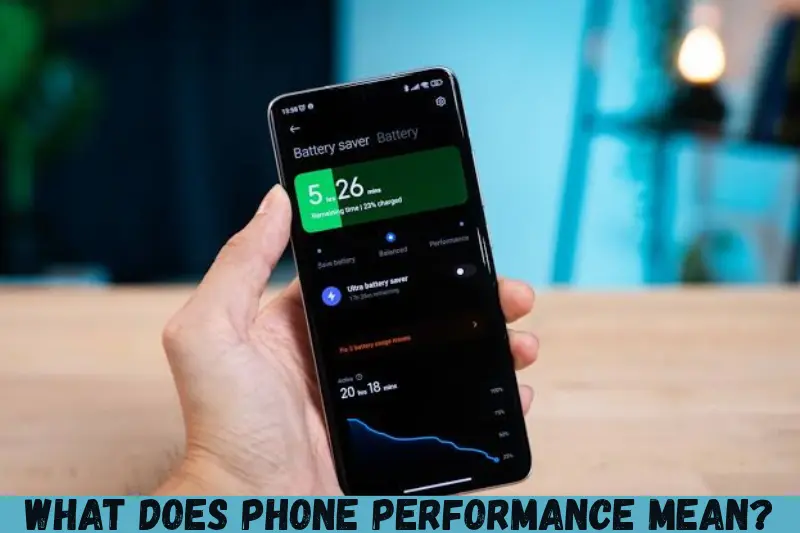
Phone performance refers to how efficiently a smartphone handles everyday tasks such as opening apps, browsing the web, taking photos, playing videos, multitasking, and running demanding applications.
Performance depends on several components and conditions, including:
- Processor and graphics hardware
- Available RAM
- Internal storage capacity and free space
- Battery condition
- Operating system and software updates
- Installed applications
- Background processes
- Device temperature
- Network conditions
A newer, powerful phone naturally has different performance capabilities from an older budget model. However, good maintenance can help almost any smartphone operate efficiently within its hardware limitations.
Why Does a Phone Become Slow?
A slow phone does not necessarily mean that its processor has failed. Several factors can contribute to sluggish performance.
1. Storage Is Nearly Full
When your internal storage becomes heavily occupied, managing files and application data can become more difficult. Your phone may also have less room for temporary files and normal system operations.
Check your storage regularly and remove files you no longer need.
Look for:
- Large videos
- Duplicate photographs
- Downloaded documents
- Unused applications
- Offline media
- Old installation files
- Large messaging-app attachments
You do not need to delete everything. The goal is to maintain sensible free space and avoid letting storage remain constantly full.
2. Too Many Unused Apps
Every installed application takes up storage, and some apps may perform background tasks or receive notifications.
Review your application list every few months. If you have not used an app for a long time and do not need it, uninstalling it can simplify your phone and free storage.
3. Outdated Software
Operating system and application updates can include security fixes, bug fixes, compatibility improvements, and performance changes.
Keep your phone’s operating system and frequently used apps reasonably up to date. Before installing a major update, however, make sure your phone has enough battery and storage space and that important data is backed up.
4. Too Many Background Processes
Some applications continue working when you are not actively using them. Background synchronization can be useful, but unnecessary activity can consume system resources, battery, and mobile data.
Review which apps genuinely need background access and adjust permissions where your phone provides those controls.
5. Overheating
Heat can affect smartphone performance. Modern phones can reduce processor activity when temperatures become too high to help protect internal components.
Heavy gaming, video recording, navigation, charging, and direct sunlight can all contribute to heat.
If your phone becomes unusually hot, stop demanding tasks and allow it to cool naturally.
Best Phone Performance Tips to Try
Keep Your Phone Updated
One of the easiest maintenance steps is checking for available operating system and app updates.
Updates can address:
- Software bugs
- Security vulnerabilities
- Compatibility problems
- Application crashes
- Performance issues
Use the official update mechanism provided by your phone manufacturer rather than downloading operating-system packages from unknown websites.
Free Up Unnecessary Storage
Storage management is one of the most practical areas to check when a phone feels sluggish.
Start by reviewing your largest files. Photos and videos are often responsible for significant storage usage.
A simple cleanup routine can include:
- Open your phone’s storage settings.
- Check which categories use the most space.
- Remove unnecessary downloads.
- Delete unwanted videos and duplicate files.
- Uninstall applications you no longer use.
- Review large messaging attachments.
- Empty unnecessary trash or recently deleted folders when appropriate.
Before deleting important files, make sure they are backed up or no longer needed.
Restart Your Phone Regularly
A restart is a simple troubleshooting step when your phone starts behaving unusually.
Restarting can close temporary processes and refresh system activity. It will not magically upgrade your hardware, but it can help when a temporary software issue is responsible for slow behavior, freezes, or glitches.
If your phone has been running continuously for a long period and begins acting strangely, a restart is worth trying.
Reduce Unnecessary Visual Effects
Animations can make an interface feel smooth, but some users prefer fewer visual effects, particularly on older devices.
Depending on your phone, accessibility or developer settings may provide options for reducing animations.
This does not make the processor physically faster. Instead, reducing animation effects can make certain interactions feel more immediate.
Review Apps That You Rarely Use
A large collection of applications is not automatically a problem, but unused apps provide little value while consuming storage.
Ask yourself:
- Do I still use this app?
- Does it need to remain installed?
- Is it taking significant storage?
- Does it send unnecessary notifications?
- Does it need background access?
Removing unnecessary applications can make phone management easier.
Manage Notifications
Notifications themselves are useful, but dozens of unnecessary alerts can make your phone feel constantly busy.
Review notification permissions and disable alerts that do not matter to you.
Keep notifications for things you genuinely need, such as important messages, calls, calendar reminders, or security alerts.
Keep Your Phone Cool
Temperature management is an important part of smartphone maintenance.
Avoid leaving your phone in direct sunlight, particularly inside a parked vehicle. During intensive gaming or other demanding workloads, give the device a break if it becomes hot.
If your phone becomes hot while charging, check whether you are using an appropriate charger and cable and whether the environment is unusually warm.
Do not deliberately cool a hot phone using extreme methods such as placing it in a refrigerator or freezer. Sudden temperature changes can create additional problems.
Phone Performance Tips for Better Battery Life

Battery performance and overall phone performance are closely connected from a user’s perspective.
A phone that constantly runs out of power is less convenient even if its processor is fast.
Lower Unnecessary Screen Brightness
The display can consume substantial energy, especially when brightness is high.
Use automatic brightness if it works well for you, or reduce brightness manually when full brightness is unnecessary.
Use Battery Saver When Appropriate
Battery Saver or Low Power Mode can reduce certain background activities and system behavior to extend battery life.
It is particularly useful when you need your phone to remain available for longer and do not need maximum performance.
Identify Battery-Hungry Apps
Check your phone’s battery settings to see which applications consume the most energy.
An application that constantly uses significant battery in the background may deserve further investigation.
Consider updating it, restricting unnecessary background activity, or uninstalling it if you no longer need it.
How to Improve Phone Performance for Gaming
Gaming can place much higher demands on a smartphone than ordinary messaging or web browsing.
For better gaming performance:
- Close unnecessary demanding applications.
- Keep the phone reasonably cool.
- Use appropriate graphics settings.
- Keep games updated.
- Maintain sufficient storage space.
- Avoid playing demanding games while the device is overheating.
- Use a stable internet connection for online games.
Choose Graphics Settings Carefully
Maximum graphics settings are not always the best choice.
If a game stutters, reduce demanding settings such as graphics quality, shadows, effects, or resolution when those options are available.
A consistent frame rate can provide a better gaming experience than maximum visual quality with frequent slowdowns.
How to Improve Phone Performance Without Deleting Everything
You do not need to perform an aggressive cleanup every time your phone feels slow.
Try this order:
- Restart the phone.
- Check available storage.
- Update the operating system and apps.
- Identify unusually demanding apps.
- Review background activity.
- Check whether the phone is overheating.
- Remove unnecessary files and applications.
- Test the phone again.
This approach helps you identify the likely cause instead of randomly changing multiple settings.
Android and iPhone Performance Tips
Many performance principles apply to both Android and iPhone, but settings and terminology differ.
| Performance Area | Android | iPhone |
|---|---|---|
| Storage | Review storage in Settings | Review iPhone Storage in Settings |
| App management | Uninstall or disable supported apps | Delete or offload unnecessary apps |
| Updates | Check system and Play Store updates | Check iOS and App Store updates |
| Battery | Review battery usage and battery settings | Review Battery settings and battery health information |
| Background activity | Controls vary by manufacturer and Android version | Background App Refresh can be managed |
| Performance issues | Restart and inspect apps/settings | Restart and inspect apps/settings |
The exact options can vary according to device model, operating-system version, and manufacturer.
Phone Performance Tips for Older Smartphones
Older phones have hardware limitations that software maintenance cannot completely eliminate.
Still, several practices can help.
Keep Storage Under Control
Older devices can become especially frustrating when storage is nearly full. Regularly remove unnecessary media and applications.
Avoid Overloading the Phone
If an older phone struggles with multiple demanding applications, use fewer applications simultaneously.
Keep Apps Reasonably Updated
Updates can improve compatibility, although very demanding newer applications may still require more hardware resources than an older phone can provide.
Consider a Factory Reset Carefully
A factory reset removes user data and returns the phone to its setup state. It can be useful for certain persistent software problems, but it should not be the first solution.
Before performing one, back up important data and make sure you know the account credentials needed to set the device up again.
A reset cannot make old hardware equivalent to new hardware.
Common Mistakes That Can Hurt Phone Performance
Not every popular “phone optimization” trick is useful.
Installing Random Cleaner Apps
Be cautious with applications that promise dramatic performance improvements through one-tap cleaning.
Some may provide useful storage-management functions, but others can add notifications, consume resources, or encourage unnecessary actions.
Use your phone’s built-in storage and battery tools whenever they provide the information you need.
Constantly Force-Closing Every App
Closing every application after every use is not always beneficial. Modern mobile operating systems are designed to manage applications and memory themselves.
Instead of constantly closing everything, focus on applications that are actually causing problems or consuming unusual resources.
Using Unsupported System Tweaks
Changing advanced settings without understanding them can cause unexpected behavior.
Avoid modifying system files or installing unofficial firmware simply because an online guide promises a speed boost.
Ignoring Heat
Performance problems accompanied by unusual heat deserve attention.
If your phone repeatedly becomes very hot during ordinary use, investigate the cause rather than simply trying to make the device work harder.
When Should You Consider Replacing Your Phone?
Performance tips can improve software efficiency, but they cannot overcome every hardware limitation.
Consider a replacement when your phone consistently has problems such as:
- Hardware damage
- Extremely limited storage
- Poor battery endurance despite appropriate maintenance
- Applications that no longer support the device
- Persistent crashes that remain after troubleshooting
- Hardware that cannot meet your everyday requirements
If the phone still meets your needs after basic maintenance, replacing it solely because it feels slightly slower may not be necessary.
A Simple Weekly Phone Maintenance Routine
You can keep phone maintenance simple.
Once a week, take a few minutes to:
- Check storage usage.
- Remove obvious junk or unwanted downloads.
- Review battery usage if battery life has changed.
- Install important available updates.
- Check whether any application is behaving unusually.
- Restart the phone if it has been experiencing glitches.
- Make sure important photos and files are backed up.
You do not need to perform every maintenance task every week. The goal is consistent, sensible upkeep.
Frequently Asked Questions
1. How can I make my phone faster?
Start by checking available storage, updating the operating system and applications, restarting the phone, and removing apps and files you no longer need. If the device is overheating, allow it to cool. For older phones, reducing demanding workloads and visual effects can also make everyday interactions feel more responsive.
2. Does deleting apps make a phone faster?
Deleting unnecessary apps can help by freeing storage and reducing the number of applications that may perform background tasks. However, removing a few apps will not automatically transform an older phone into a high-performance device. The biggest benefit usually comes when unnecessary applications are consuming substantial storage or resources.
3. Does restarting a phone improve performance?
Restarting can help resolve temporary software problems, clear certain short-lived processes, and refresh system activity. It does not increase the phone’s permanent processing capability. If a restart repeatedly fixes a problem only temporarily, investigate the underlying application, storage, software, battery, or temperature issue.
4. Can low storage slow down a phone?
Very limited free storage can contribute to performance problems and make everyday device management more difficult. Maintaining reasonable free space is therefore a useful maintenance habit. Instead of deleting important files blindly, identify large and unnecessary downloads, videos, applications, and other data before removing anything.
5. Does a factory reset make a phone faster?
A factory reset can resolve some persistent software problems by returning the device to a clean setup state. However, it does not upgrade the processor, increase physical RAM, or repair failing hardware. A reset also removes user data, so important information should be backed up before performing one.
Conclusion
Phone Performance Tips are most useful when they focus on practical maintenance rather than unrealistic promises. Keeping adequate storage available, updating software, managing unnecessary applications, controlling background activity, avoiding excessive heat, and monitoring battery behavior can help your phone remain reliable.
For a slow smartphone, start with the basics: restart it, check storage, update the software, review demanding apps, and look for overheating. Make one change at a time so you can identify what actually improves the experience.