
SEO Slug: android-phone-comparison
Android Phone Comparison helps you understand the real differences between smartphones before buying one. Instead of choosing a phone only because it has a higher megapixel camera, more RAM, or a faster processor, a proper comparison looks at the complete experience.
This guide explains how to compare Android phones based on performance, display quality, cameras, battery life, charging, software, storage, connectivity, durability, price, and long-term support. It also explains what specifications actually matter and which marketing numbers can sometimes be misleading.
Whether you are buying your first Android phone, replacing an older device, or comparing two phones in the same price range, the goal is simple: choose a phone that fits your actual needs and budget.
What Is an Android Phone Comparison?
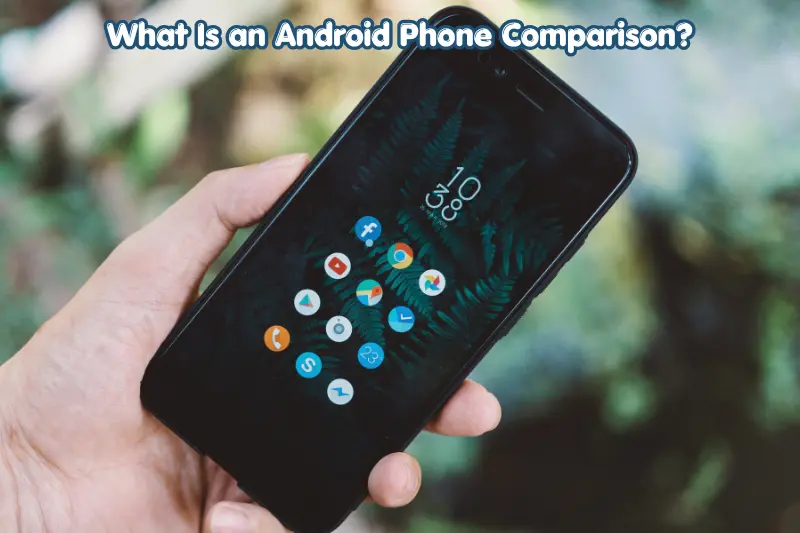
An Android Phone Comparison is a side-by-side evaluation of two or more Android smartphones to understand their differences in specifications, features, usability, and overall value.
A useful comparison should consider more than the specification sheet. For example, two phones may both have 50MP cameras, but their image processing, sensors, stabilization, and camera software can produce different results.
The same applies to processors, batteries, displays, and memory. A phone with a larger battery is not automatically better if its software, processor efficiency, or charging experience does not meet your requirements.
A complete comparison normally includes:
- Display size, resolution, refresh rate, and panel technology
- Processor and graphics performance
- RAM and internal storage
- Main, ultrawide, telephoto, and selfie cameras
- Battery capacity and charging speed
- Android version and software support
- 5G, Wi-Fi, Bluetooth, and other connectivity
- Build quality and water or dust resistance
- Price and overall value
Why Should You Compare Android Phones Before Buying?
Comparing phones before purchasing helps you spend money on features that matter to you rather than paying extra for specifications you may never use.
For example, a person who mainly uses WhatsApp, YouTube, web browsing, and social media may not need the same processor or gaming features as someone who regularly plays demanding games.
A phone comparison can help you:
- Avoid paying for unnecessary features
- Identify important differences between similar models
- Find better battery life
- Choose suitable camera hardware
- Understand performance differences
- Check software-update support
- Compare storage options
- Select a phone for gaming, photography, work, or everyday use
The best phone for one person is not necessarily the best phone for another. Your usage pattern should guide the comparison.
Android Phone Comparison: Key Specifications to Check
When comparing Android phones, start with the specifications that have the greatest effect on everyday use.
1. Processor and Performance
The processor, also called the chipset or SoC, is one of the most important components in an Android phone.
It affects app performance, gaming, image processing, multitasking, power efficiency, and many other tasks.
Common processor families include chips from Qualcomm Snapdragon, MediaTek Dimensity, Samsung Exynos, and Google’s Tensor line.
However, comparing processor names alone is not enough. A newer chip can offer improvements in efficiency or AI-related workloads even when raw benchmark differences are not dramatic.
Consider:
- Chip generation
- CPU performance
- GPU capability
- Power efficiency
- Thermal performance
- Gaming performance
- Real-world reviews and benchmarks
For everyday users, smooth app opening and reliable multitasking may matter more than achieving the highest benchmark score.
2. RAM
RAM allows the phone to keep apps and processes available for quick access.
Android phones are available with different RAM configurations, but more RAM does not automatically mean a better phone.
For normal activities such as messaging, browsing, streaming, and social media, a moderate amount of RAM can be sufficient. Heavy multitasking and gaming can benefit from additional memory.
Also remember that manufacturers sometimes use virtual or extended RAM features. This uses part of internal storage rather than providing the same performance characteristics as physical RAM.
3. Internal Storage
Storage determines how many applications, photos, videos, documents, and other files you can keep on the phone.
Common storage capacities include 128GB, 256GB, 512GB, and higher options on some premium models.
Before choosing, think about how you use your phone.
If you take many high-resolution photos and videos, download games, or keep large files offline, additional storage can be valuable.
Also check whether the phone supports a microSD card. Many modern smartphones do not provide expandable storage, so choosing the right internal capacity at purchase can be important.
Display Comparison
The display is one of the components you interact with every time you use your phone.
AMOLED vs LCD
AMOLED and other OLED-based displays can produce deep blacks and strong contrast because individual pixels can be controlled differently from traditional LCD backlighting.
LCD displays can still provide good image quality, particularly on budget and mid-range phones.
When comparing displays, check:
- Screen size
- Resolution
- Refresh rate
- Brightness
- Panel technology
- HDR support
- Color accuracy
- Protection against scratches
What Does Refresh Rate Mean?

Refresh rate describes how many times the display can update its image per second.
A 120Hz display can update more frequently than a 60Hz display, which can make scrolling and supported animations feel smoother.
However, refresh rate is only one part of display quality. Brightness, response time, resolution, calibration, and software optimization also matter.
Camera Comparison
Camera specifications can be confusing because a larger megapixel number does not guarantee better photographs.
A proper camera comparison should examine the entire system.
Main Camera
The main camera is generally the most important camera for everyday photography.
Look at:
- Sensor size
- Lens aperture
- Optical or electronic stabilization
- Autofocus
- Image-processing capabilities
- Low-light performance
- Video recording options
Ultrawide Camera
An ultrawide camera captures a wider field of view and is useful for:
- Landscapes
- Buildings
- Group photographs
- Travel photography
- Interior spaces
Not every ultrawide camera provides the same image quality as the main sensor, so compare actual results when possible.
Telephoto Camera
Telephoto cameras are particularly useful for optical zoom and distant subjects.
A dedicated telephoto camera can provide advantages over relying entirely on digital cropping.
When comparing cameras, check the actual available optical zoom ranges rather than looking only at the highest advertised zoom number.
Battery and Charging Comparison
Battery life is one of the most practical factors in an Android Phone Comparison.
Battery capacity is commonly listed in milliamp-hours, or mAh. A larger capacity can provide more potential runtime, but it does not guarantee longer battery life.
Actual battery performance depends on:
- Processor efficiency
- Display technology
- Screen brightness
- Refresh rate
- Mobile-network usage
- App activity
- Software optimization
- Battery capacity
Charging speed is another consideration.
Some Android phones support fast wired charging, while others also offer wireless charging or reverse wireless charging. Check the charging standard, compatible charger requirements, and whether the charger is included with the phone.
Software and Android Updates
Hardware is only part of the smartphone experience. Software support can affect how useful a phone remains over time.
When comparing phones, check:
- Android version
- Manufacturer software interface
- Security-update policy
- Android version upgrades
- Update frequency
- Pre-installed applications
- Customization features
Longer software support can be especially important if you plan to keep your phone for several years.
It is better to verify the manufacturer’s current support policy for the exact model and region instead of assuming that every phone from a brand receives the same number of updates.
Build Quality and Durability
A smartphone can have excellent specifications but still be unsuitable for your lifestyle if it is difficult to handle or lacks the durability you need.
Consider:
- Frame material
- Back-panel material
- Screen protection
- Water and dust resistance
- Weight
- Thickness
- Button placement
- Grip and ergonomics
An official IP rating can provide useful information about resistance to dust and water under specified test conditions. It does not mean a phone is completely waterproof or immune to damage.
A protective case and screen protector can also provide additional physical protection.
Connectivity Features
Modern Android phones can include a wide range of connectivity technologies.
Depending on the model, check support for:
- 4G LTE
- 5G
- Wi-Fi
- Bluetooth
- NFC
- GPS and other positioning systems
- USB-C
- Dual SIM or eSIM
Network compatibility is particularly important when buying a phone for use in a different country.
A phone may support 5G but not necessarily every frequency band used by your local carrier. Always check the exact regional model and carrier compatibility.
Android Phone Comparison Table
| Feature | What to Check | Why It Matters |
|---|---|---|
| Processor | Chip generation, CPU, GPU, efficiency | Performance and battery efficiency |
| RAM | Physical RAM capacity | Multitasking |
| Storage | 128GB, 256GB, 512GB or more | Apps and personal files |
| Display | OLED/AMOLED/LCD, resolution, refresh rate | Viewing experience |
| Camera | Sensors, stabilization, lenses | Photo and video quality |
| Battery | Capacity and efficiency | Runtime |
| Charging | Wired/wireless speed | Charging convenience |
| Software | Android version and update policy | Long-term usability |
| Connectivity | 4G, 5G, Wi-Fi, Bluetooth, NFC | Network and accessory compatibility |
| Durability | Materials and IP rating | Everyday protection |
| Price | Current selling price | Overall affordability |
How to Compare Two Android Phones Step by Step
If you already have two phones in mind, use this process.
Step 1: Set Your Budget
Decide the maximum amount you are comfortable spending.
Do not compare phones from completely different price categories without considering what you actually need.
Step 2: Identify Your Main Use
Ask yourself what you do most often.
Is your priority:
- Gaming?
- Photography?
- Social media?
- Video streaming?
- Business and productivity?
- Battery life?
- Compact design?
- Long-term software support?
Your answer should determine which specifications receive the most attention.
Step 3: Compare the Processor
Check the chipset generation, CPU/GPU capabilities, efficiency, and real-world performance.
For gaming, pay particular attention to sustained performance and thermal behavior rather than relying only on short benchmark scores.
Step 4: Compare the Display
Look at panel technology, brightness, resolution, refresh rate, and size.
If you frequently use your phone outdoors, brightness may be more important than a small difference in resolution.
Step 5: Compare Cameras
Compare the complete camera system rather than just megapixel counts.
Look at main-camera quality, ultrawide performance, zoom capability, stabilization, portrait photography, night photography, and video features.
Step 6: Compare Battery Life
Check battery capacity but also consider processor efficiency, display characteristics, and real-world battery tests.
Step 7: Check Software Support
Find out how long each model is expected to receive Android upgrades and security updates.
Step 8: Check Storage and Connectivity
Make sure the storage capacity suits your needs and that the phone supports the networks, SIM options, and accessories you require.
Step 9: Compare the Current Price
Prices can change because of sales, promotions, newer models, and regional availability.
Compare the current price rather than relying on the launch price.
Step 10: Consider the Complete Experience
Finally, look beyond specifications.
Consider software usability, ergonomics, cameras, battery performance, speakers, vibration quality, repair options, accessories, and warranty availability.
Which Android Phone Specifications Matter Most?
The answer depends on your priorities.
For gaming, focus on the processor, GPU, cooling, display refresh rate, battery, and sustained performance.
For photography, focus on camera sensors, stabilization,https://technoroster.com/ image processing, lens selection, and video capabilities.
For business and productivity, consider battery life, display quality, storage, software support, connectivity, and multitasking.
For everyday use, balanced performance, reliable battery life, comfortable design, a good display, https://technoroster.com/and dependable software support may matter more than flagship-level specifications.
For budget buyers, prioritize essential features instead of paying extra for specifications that have little effect on your normal usage.
Common Android Phone Comparison Mistakes
Choosing Based Only on Megapixels
A 108MP or 200MP camera is not automatically better than a camera with fewer megapixels.
Sensor quality, lens design, stabilization, processing, and software all influence results.
Assuming More RAM Is Always Better
More RAM can help with demanding multitasking, but the quality of memory management and software optimization also matters.
Looking Only at Battery Capacity
Two phones with similar battery capacities can have noticeably different battery life because of differences in processors, displays, software, and network usage.
Ignoring Software Updates
A phone that looks attractive on launch day may become less appealing if its long-term software support is limited.
Comparing Launch Prices Instead of Current Prices
Smartphone prices frequently change. A newer phone may also become more attractive after discounts on older models.
Ignoring Regional Models
Different regions can receive different processors, network bands, storage configurations, SIM options, or included accessories.
Always check the exact model available in your country.
Tips for Getting Better Value From an Android Phone
You do not always need the most expensive phone to get a good smartphone experience.
Use these practical tips:
- Compare at least two or three phones before buying.
- Check the exact storage configuration.
- Verify network-band compatibility.
- Look at independent long-term reviews.
- Check software-update commitments.
- Consider battery tests rather than battery capacity alone.
- Compare camera samples in similar lighting.
- Check whether a charger is included.
- Consider warranty and after-sales service.
- Do not pay extra for features you will rarely use.
How AI Overviews and Search-Friendly Comparisons Help Users
A useful phone comparison should answer questions clearly and directly.
Instead of writing vague statements such as “this phone has an amazing display,” explain what makes the display different and who would benefit from it.
For example:
Question: What should I compare when buying an Android phone?
Direct answer: Compare the processor, display, camera system, battery life, charging, storage, software support, connectivity, durability, and current price. Give greater weight to the features that match your personal usage.
This format makes information easier to understand for readers using traditional search, voice search, AI-powered search, and generative search tools.
Before choosing a smartphone, check this Android Phone Comparison guide to understand the key features you should consider. For more information about Android devices and features, visit Android.
Frequently Asked Questions
What is the most important thing to compare in an Android phone?
The most important specification depends on how you use the phone. For gaming, processor and sustained performance are important. For photography, camera hardware and image processing matter more. https://technoroster.com/For general use, a balanced combination of performance, battery life, display quality, software support, and storage is usually more useful than focusing on one specification.
Is more RAM always better on an Android phone?
More RAM can help when running multiple demanding applications, but it is not the only factor that determines performance. Android software optimization, processor performance, storage speed, and memory management also influence the experience. Instead of choosing a phone solely because it has more RAM, consider the complete hardware and software configuration.
Does a higher megapixel camera mean better photos?
No. Megapixels describe image resolution, but they do not independently determine overall photo quality. Sensor size, lens quality, stabilization, autofocus, image processing, exposure, and low-light performance also matter. When comparing Android cameras, look at the complete camera system and real-world results instead of relying only on megapixel numbers.
How much storage should an Android phone have?
The right storage capacity depends on your usage. A lighter user may be comfortable with a lower capacity, while people who store large games, videos, photographs, and files may benefit from 256GB or more. If a phone does not support expandable storage, carefully consider how much space you will need over its expected lifespan.
How can I compare two Android phones correctly?
Start by comparing their processors, displays, cameras, batteries, charging systems, storage, software support, connectivity, durability, https://technoroster.com/and current prices. Then give greater importance to the categories that match your needs. For example, a photographer should evaluate cameras more heavily than gaming performance, while a gamer should focus more on sustained processor and GPU performance.
Conclusion
Android Phone Comparison is most useful when it goes beyond a simple specification list. Processor performance, RAM, storage, display quality, cameras, battery life, charging, software support, connectivity, durability, and price all contribute to the overall smartphone experience.
The right choice depends on what you actually need. A gamer may prioritize sustained performance and cooling, while a photographer may care more about camera sensors and image processing. Someone buying a phone for everyday communication may place greater importance on battery life, software reliability, storage, and comfortable design.
Before buying, make a short list of your top three priorities, compare the phones against those priorities, verify the exact regional model and current price, and then make your purchase based on the features you will genuinely use.